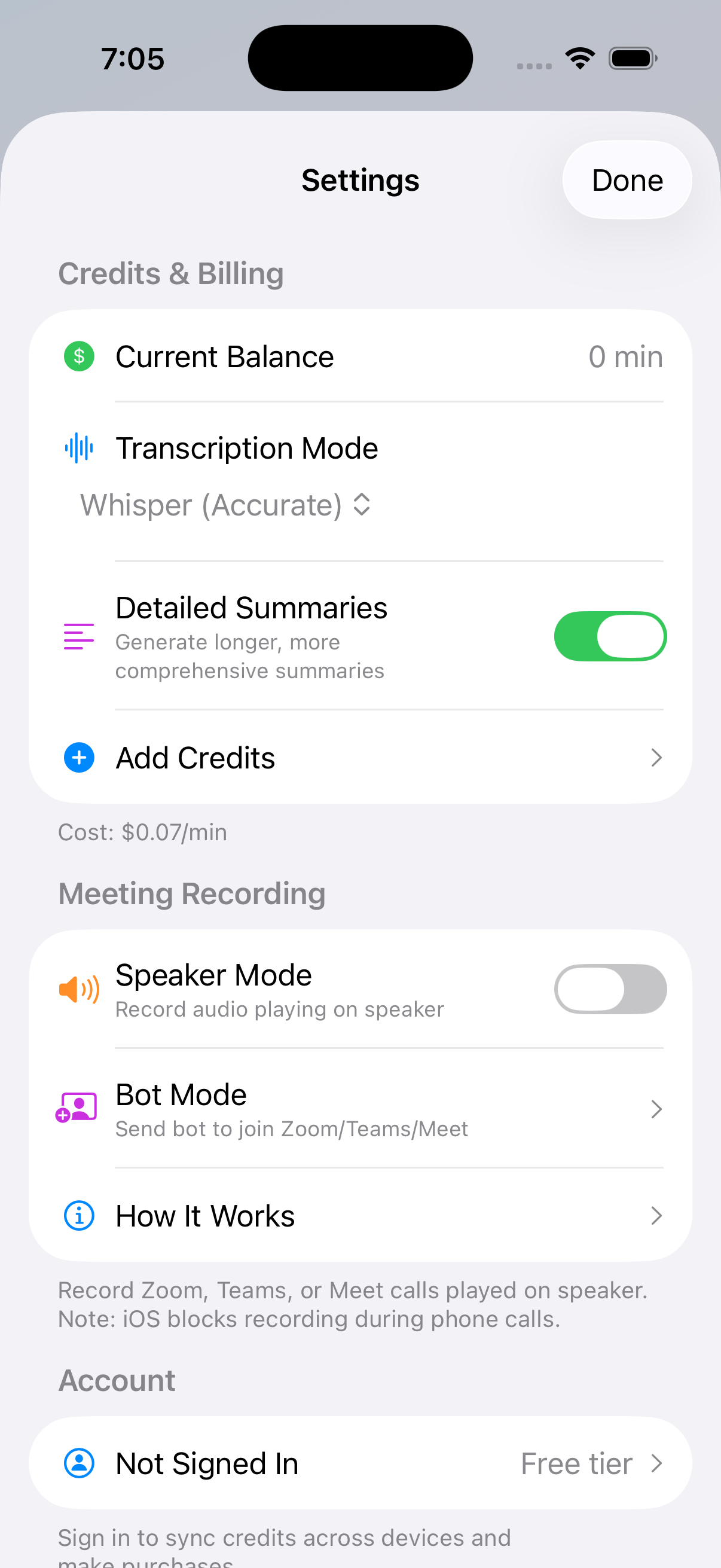
Quick Start
SAVI makes it easy to capture and analyze your conversations. Here's the basic flow:
Recording Conversations
Start Recording
Recording a conversation is as simple as pressing a button. SAVI runs in the background so you can focus on the conversation.
- Tap the large purple button to start recording
- Grant microphone permission when prompted
- The timer shows your recording duration
- Tap again to stop and process
Review AI Analysis
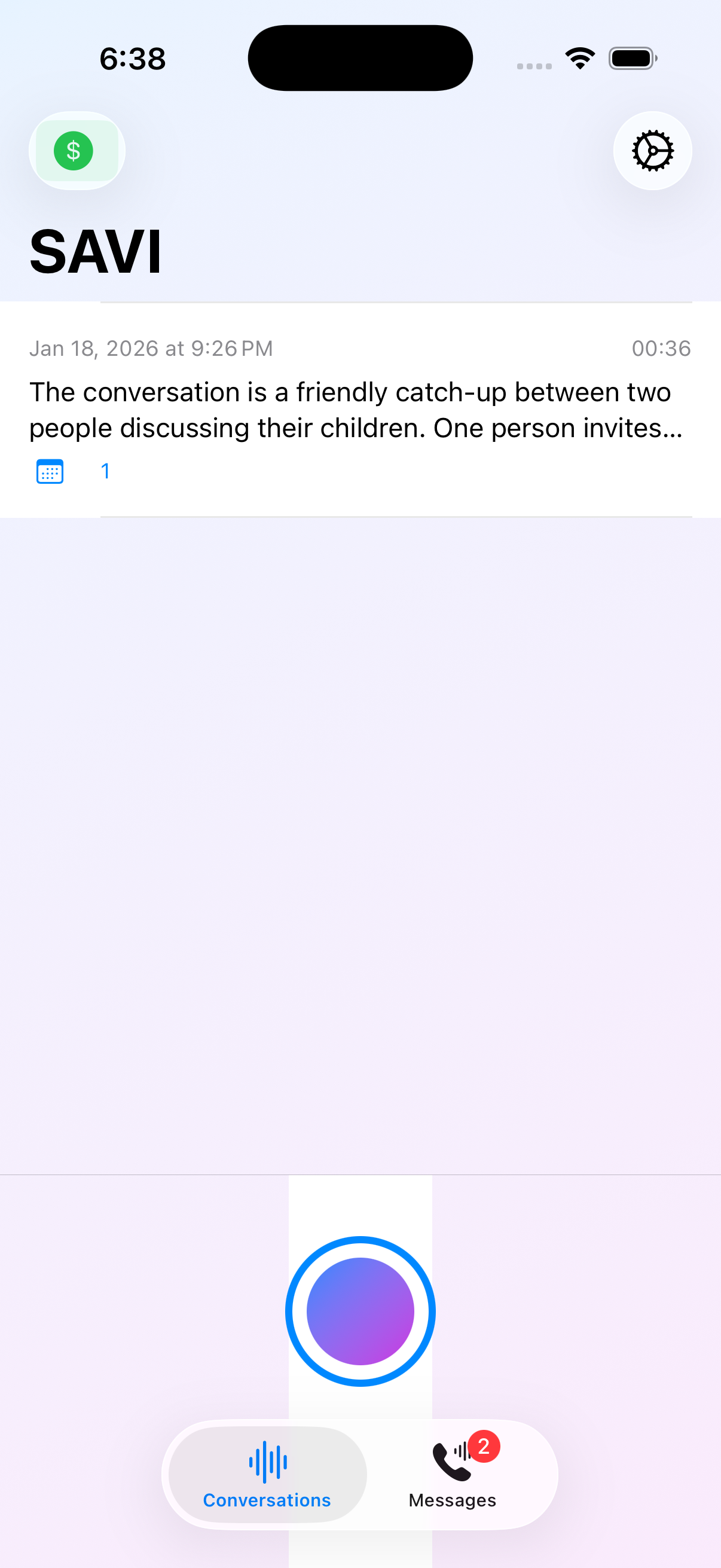
After transcription, SAVI's AI analyzes your conversation to extract useful information automatically.
- Summary: A concise overview of what was discussed
- Key Points: Important highlights from the conversation
- Calendar Events: Dates and appointments mentioned
- Reminders: Action items and things to remember
Choose Your Transcription Mode
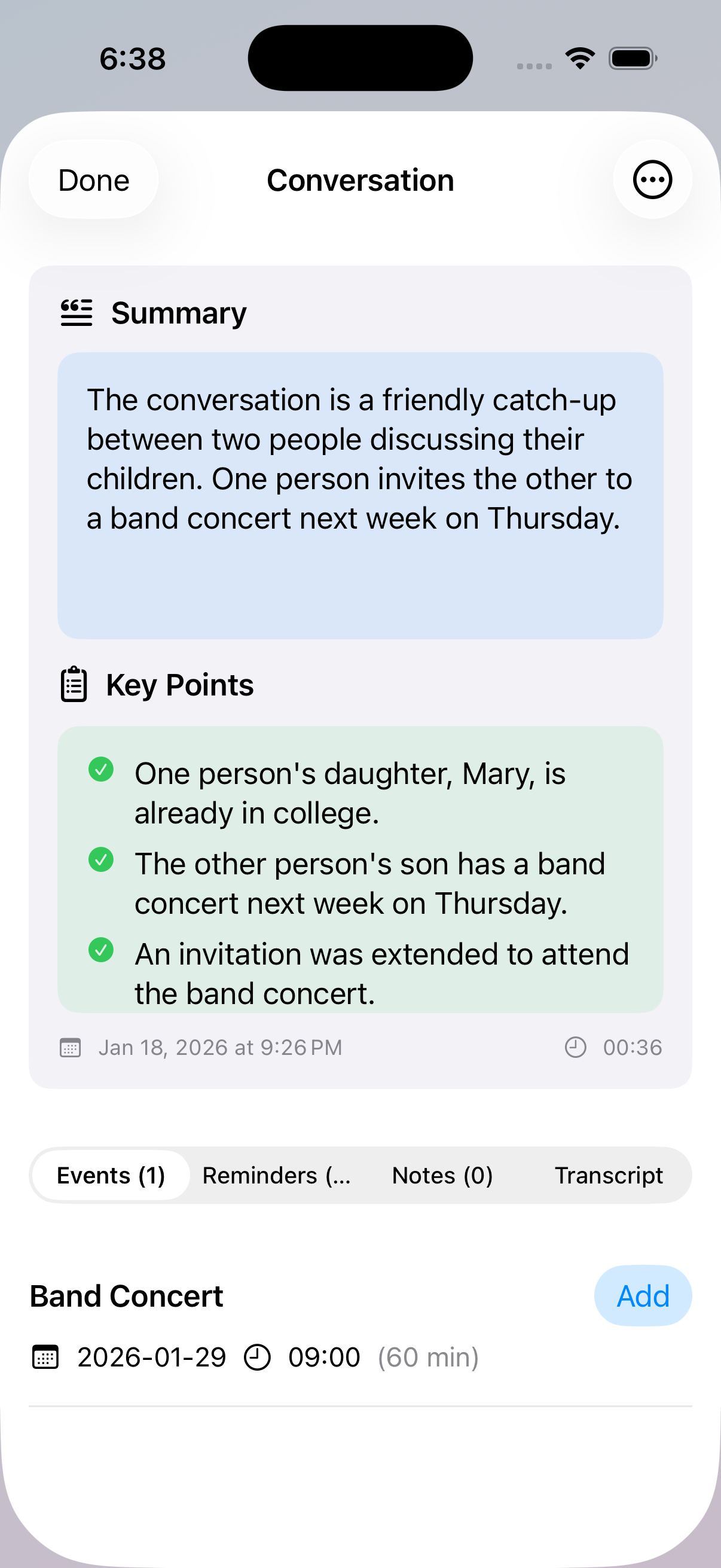
Select the transcription mode that best fits your needs. Each mode has different capabilities and costs.
- On-Device ($0.05/min): Fast, private, processes locally. Great for quick notes.
- Whisper ($0.07/min): Highly accurate cloud transcription. Best for important conversations.
- AssemblyAI ($0.10/min): Includes speaker detection. Perfect for meetings with multiple people.
AI Voicemail
Get Your AI Voicemail Number
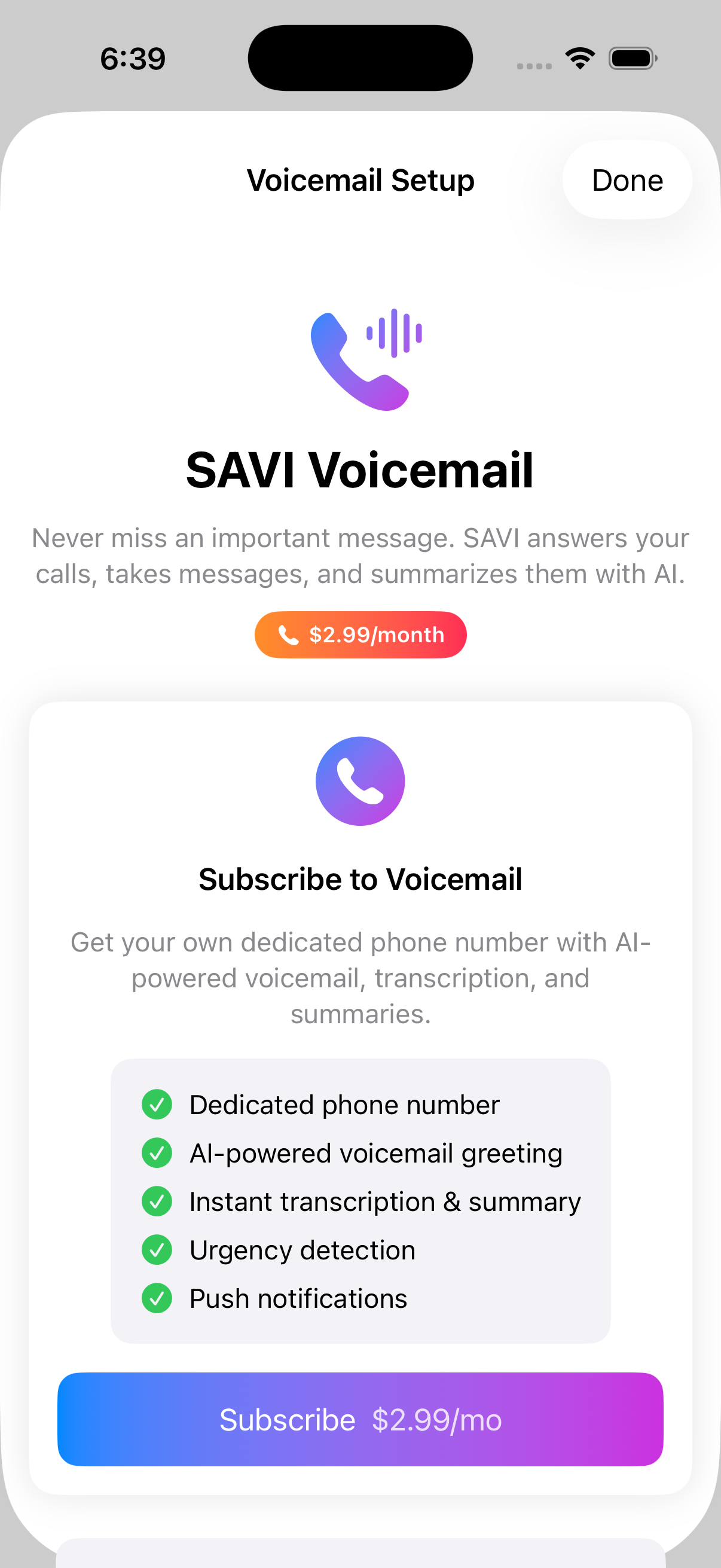
Subscribe to SAVI Voicemail for $2.99/month and get a dedicated phone number with AI-powered features.
- Dedicated phone number just for you
- AI-powered voicemail greeting
- Instant transcription & summary
- Urgency detection alerts
- Push notifications for new messages
View Your Voicemail Inbox
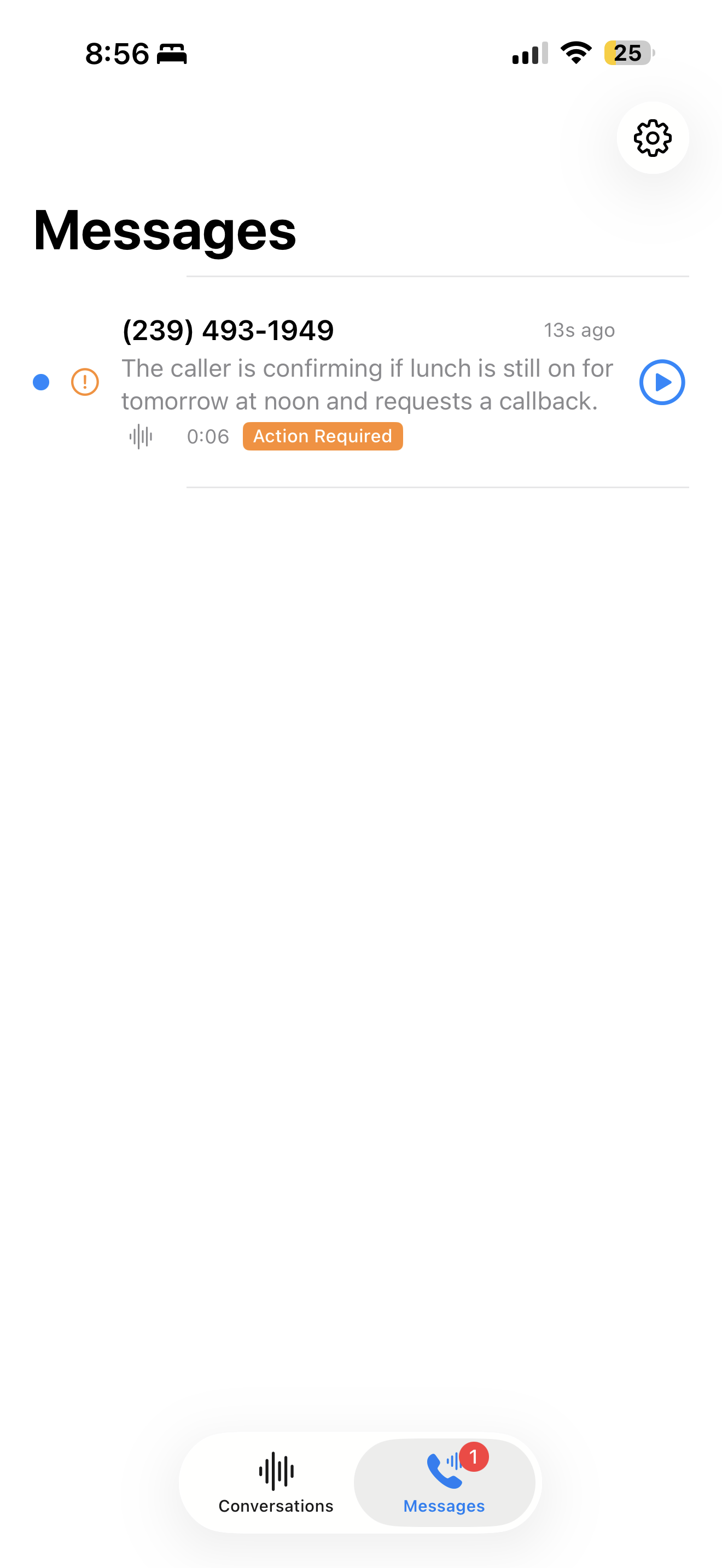
All voicemails appear in the Messages tab with AI-generated summaries so you know what each message is about at a glance.
- See caller number and time
- Read AI summary without listening
- Urgency badges highlight important messages
- "Action Required" alerts for callbacks
Review Voicemail Details
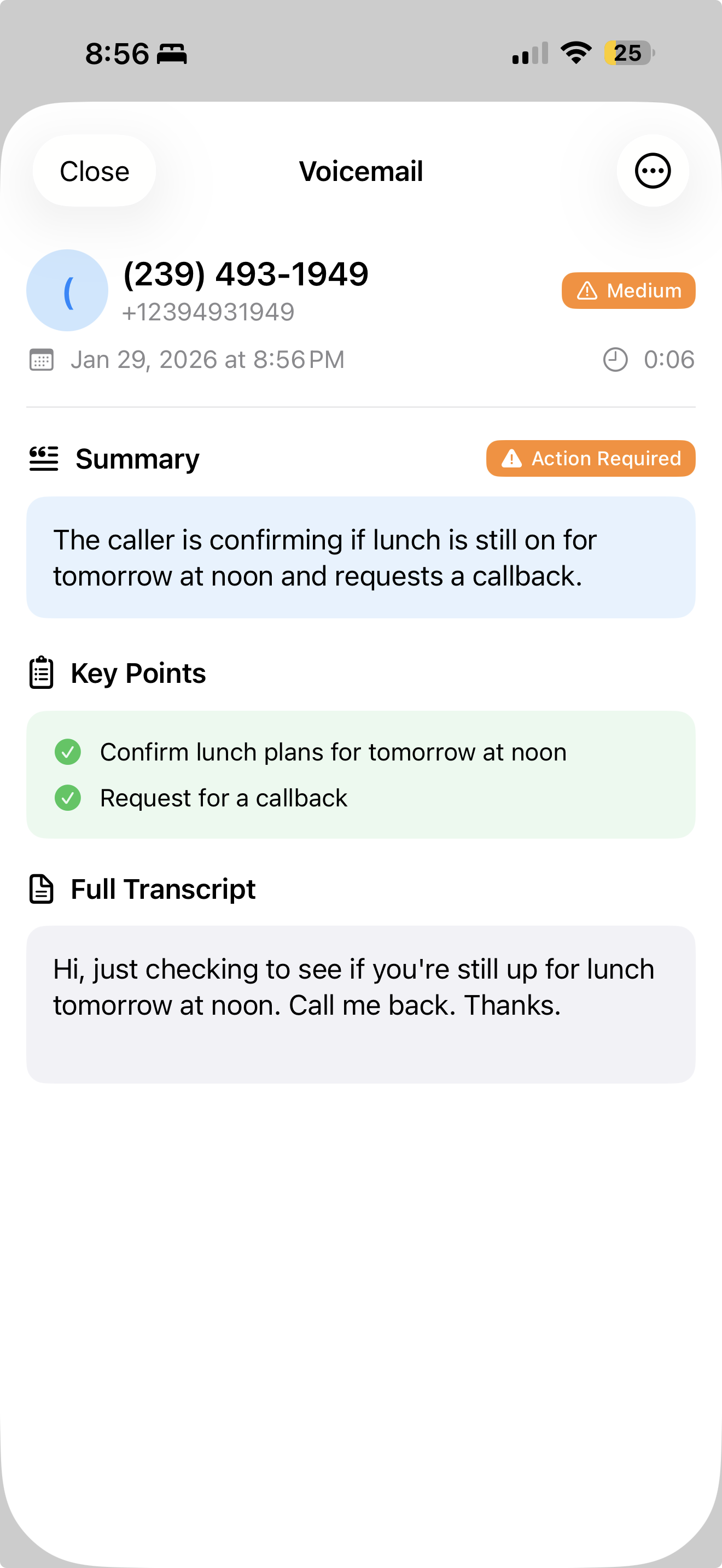
Each voicemail includes a full transcript, key points, and urgency level so you know exactly what callers need.
- Summary: Quick overview of the message
- Key Points: Action items extracted
- Full Transcript: Complete word-for-word text
- Urgency Level: Low, Medium, or High priority
Meeting Bot
Send a Bot to Your Meetings
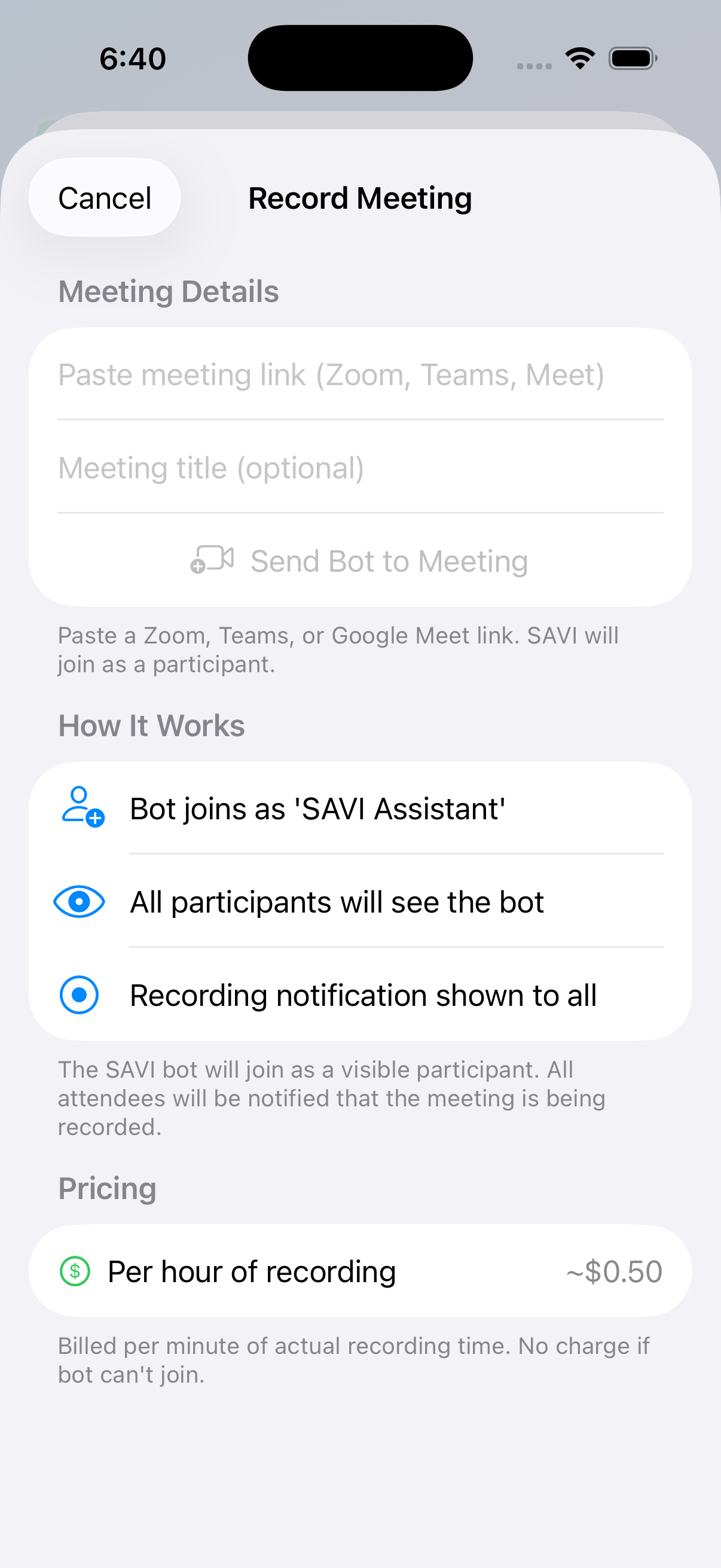
Can't record on your device? Send a SAVI bot to join your Zoom, Teams, or Google Meet call as a participant.
- Paste any Zoom, Teams, or Meet link
- Bot joins as "SAVI Assistant"
- All participants see the bot and recording notice
- Only ~$0.50 per hour of recording
Pricing & Credits
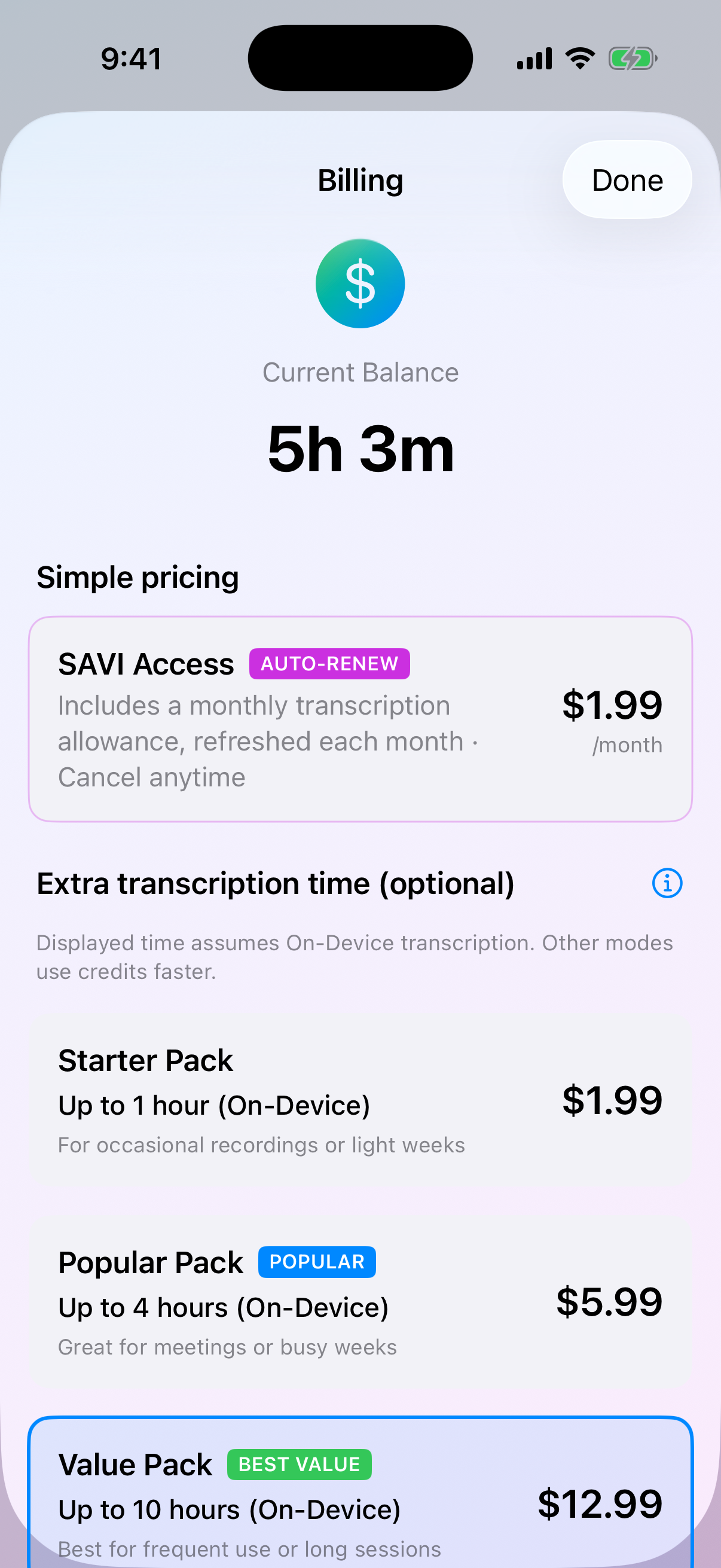
Simple, Transparent Pricing
Choose a monthly subscription or buy credit packs. See your balance and choose what works for you.
- SAVI Monthly: $1.99/mo for 30 min (auto-renews)
- Starter Pack: $1.99 for up to 1 hr On-Device
- Popular Pack: $5.99 for up to 4 hrs On-Device
- Value Pack: $12.99 for up to 10 hrs On-Device
Customize Your Settings
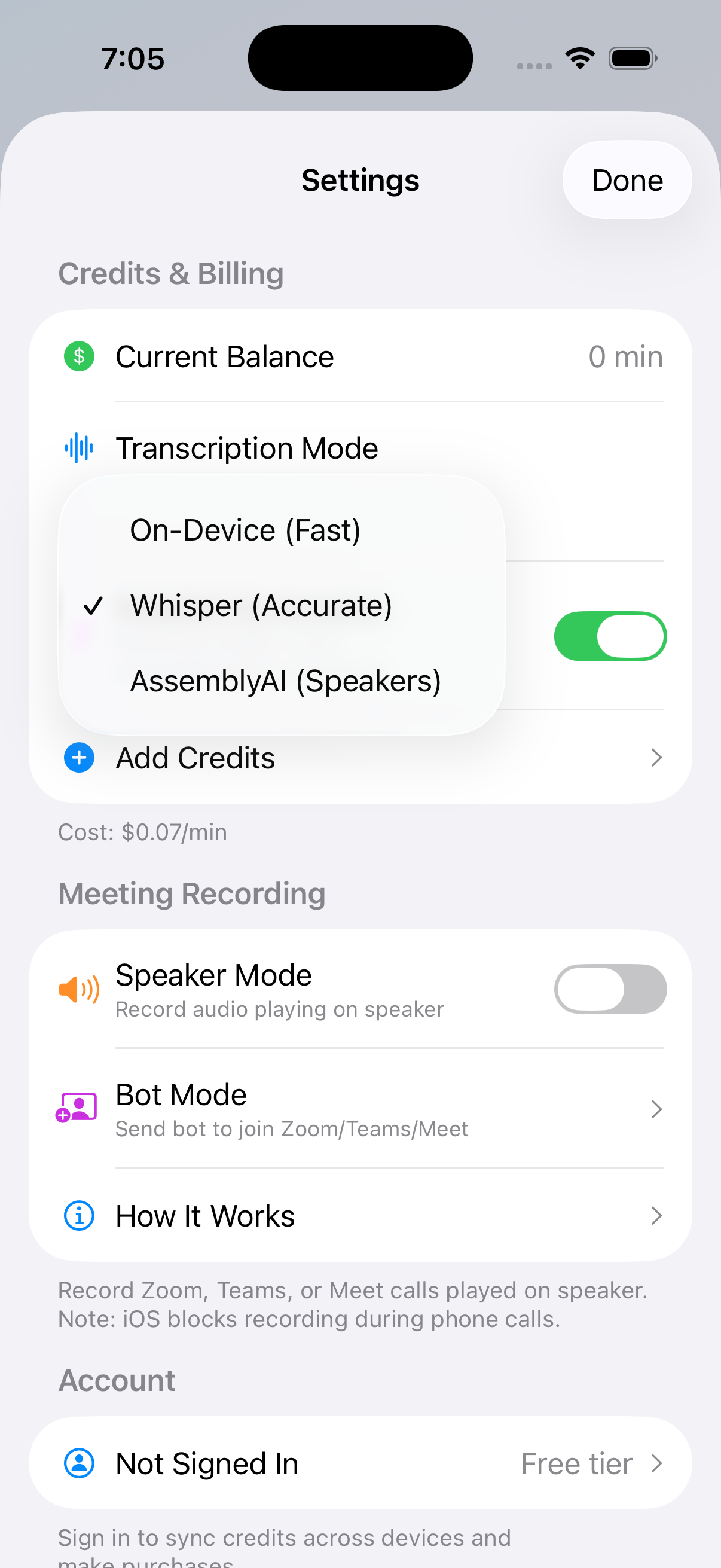
Configure SAVI to work the way you want. Change transcription mode, enable detailed summaries, and manage your account.
- View your current credit balance
- Change transcription mode anytime
- Enable "Detailed Summaries" for longer analysis
- Set up Speaker Mode for recording meetings